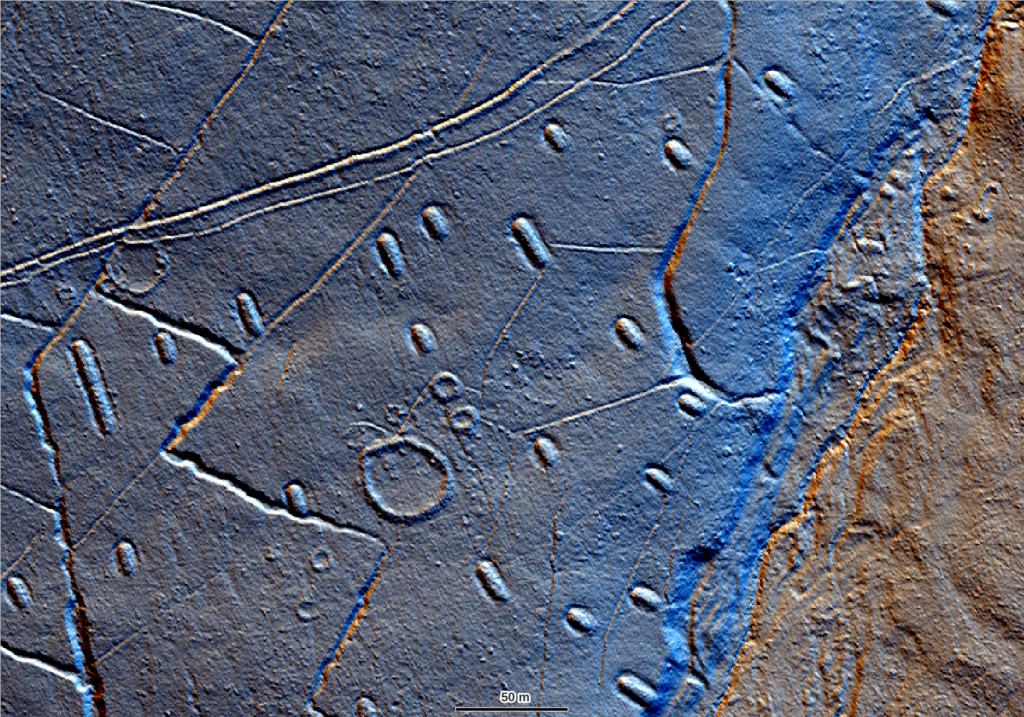
The use of lidar data for historic environment survey has transformed our understanding of landscapes and can be considered one of the most powerful techniques in the archaeologist’s toolkit. Thanks to the opening of lidar data archives and projects to capture whole-country coverage (such as the Environment Agency National Lidar and the National LiDAR for Wales programmes) lidar models are more accessible than ever before, but how do you integrate them into your day-to-day workflows and get the best out of this fantastic resource?
This online course is approved CPD by the Chartered Institute for Archaeologists and has been developed by our specialists from our popular 1-day course which we have been running since 2015.
Through theory modules and easy to follow workshops we will cover the following topics to make sure you have all the theory and practical skills you need to make the most of lidar data:
- What is lidar survey?
- Applications in heritage management
- What data and models are available?
- Accessing lidar imagery via Web Mapping Services (WMS)
- Downloading and viewing lidar models in QGIS
- Advanced visualisations for historic landscape assessment
- Tips and Pitfalls when identifying potential archaeological features

We will base our examples on data from the Environment Agency UK archive but the techniques are applicable to all lidar models.
| Course Aim | To improve your knowledge and understanding of the use of lidar data for archaeological analysis and interpretation. |
| Duration | c.16 hours |
| Course Breakdown | 12 sections 4 practical workshops fortnightly zoom check-ins |
| Enrolment Schedule | Anytime |
Zoom Schedule
Before you get started…
If you haven’t already, you should take a look at our how it works page for a full introduction to our online offer and read through our terms of use. You may also want to see how this course provides skills and knowledge towards the National Occupational Standards for Archaeological Practice. If you have any questions please contact course leader Rebecca.
What will I need?
You will need a computer with QGIS installed to complete this course. Your operating system can be Windows, Mac OS or linux but you will need at least 8GB RAM and 1GB memory. We recommend downloading the latest Long Term Support (LTS) version of QGIS. Click the button below for step by step .pdf instructions to download and install QGIS and RVT.
If you are working in the UK you may also need to add two additional OSGB transformation files to the QGIS install. These files can be downloaded as a .zip folder using the button below. Instructions for where to save these files on your system are included in the QGIS Install Instructions pdf.
Don’t worry you do not need to be a GIS whizz to participate – we are mostly using QGIS as a way to view data (though if you did want to up your GIS skills we have a course for that too!)
~ Please note that while we have found that most corporate IT set ups do allow the user to add plugins once QGIS is installed, sometimes if you are working on a computer that has very restricted admin rights you may need to request that the RVT plugin required for Workshop 4 is also installed along with QGIS. There is a note on this in the instructions to pass to IT support if you suspect this is the case. ~